

Minecraft is a game known for its endless creativity and unique mods. If you play often, you know how important ore blocks are for crafting, building, and survival. But after a while, mining can feel repetitive. You dig through stone, find the same ores, and sometimes wish for something new. That’s where the Minecraft Ore Replacer Mod changes everything. This mod lets you customize, randomize, or completely overhaul how ores appear in your world. Whether you want rare gems, more challenge, or just a fresh mining experience, Ore Replacer can make Minecraft feel exciting again.
Let’s dive into how this mod works, its main features, the installation process, how it compares to other ore mods, and practical ways to use it for better gameplay. This article is for beginners and experienced players—anyone curious about transforming their Minecraft mining adventures.
What Is The Minecraft Ore Replacer Mod?
The Ore Replacer Mod is a tool that lets you change which ores generate in your world and how often they appear. Instead of only finding vanilla ores like iron, coal, or diamond, you can set the mod to swap these with other ores, add new types, or adjust their rarity. Many players use this mod to:
- Make rare ores more common.
- Replace basic ores with custom ones from other mods.
- Create worlds where mining is more challenging or rewarding.
The mod works in both single-player and multiplayer. It supports most versions, including popular ones like 1.12.2, 1.16.5, and 1.18.2. Some advanced setups even let you mix ores from different mods, like Biomes O’ Plenty or Applied Energistics.
Key Features And Functions
Ore Replacer does more than simply swap blocks. Here are some main features that set it apart:
Custom Ore Generation
You can define which ores spawn in which biomes, at what depths, and in which quantities. For example, you might want emerald to appear in deserts or redstone to be more common near bedrock.
Randomization
The mod can randomize ore placement every time you generate a new world. No two mining trips are ever the same. This keeps exploration fresh and stops players from memorizing ore patterns.
Mod Compatibility
It’s compatible with many other mods that add new ores. You can integrate ores from mods like Thermal Expansion or Tinkers’ Construct, making your world richer and more complex.
Easy Configuration
Most Ore Replacer mods use config files in JSON or YAML format. You don’t need to know coding; simple instructions let you choose ore types, spawn rates, and layers.
Data Table Example: Vanilla Vs. Modded Ore Generation
Below is a comparison of vanilla Minecraft ore spawn rates and a typical Ore Replacer setup.
| Ore Type | Vanilla Spawn Rate (per chunk) | Ore Replacer Spawn Rate (per chunk) | Max Depth |
|---|---|---|---|
| Coal | 20 | 10 | 128 |
| Iron | 10 | 15 | 64 |
| Emerald | 1 | 3 | 32 |
| Custom Mod Ore | 0 | 5 | 50 |
This table shows how Ore Replacer can increase rare ores, add new ones, or reduce common ores for extra challenge.

Credit: www.youtube.com
How To Install And Configure Ore Replacer
Getting started is simple, even for new players. Follow these steps:
Step 1: Choose The Right Mod Version
Find the Ore Replacer mod that matches your Minecraft version. Download from trusted sources like CurseForge or Modrinth. Always check reviews and update logs.
Step 2: Install Forge Or Fabric
Most mods require Forge or Fabric as a loader. Download and install the loader for your Minecraft version.
Step 3: Place The Mod File
Move the Ore Replacer `. jar` file into your Minecraft `mods` folder.
Step 4: Configure Ore Settings
Open the mod’s config file (usually found in `config/ore_replacer/`). Here you can:
- Set which ores spawn.
- Adjust spawn rates and depth.
- Add custom ores (if supported).
Example config snippet:
{
"ores": [
{"name": "diamond", "rate": 5, "min_y": 16, "max_y": 64},
{"name": "emerald", "rate": 2, "min_y": 32, "max_y": 64},
{"name": "custom_mod_ore", "rate": 8, "min_y": 20, "max_y": 50}
]
}
Step 5: Launch Minecraft
Start your game. If the mod is installed correctly, new ore patterns will generate. You can check this by mining and seeing different ores or new spawn rates.
Non-obvious tip: If you want to update your ore settings later, you must regenerate chunks. Only new areas will use the updated config.
Comparison: Ore Replacer Vs. Other Ore Mods
There are many mods that change ore generation. Ore Replacer stands out for its flexibility and simplicity. Here’s a data table comparing Ore Replacer with two popular alternatives.
| Mod Name | Custom Ore Support | Randomization | Easy Config | Mod Compatibility |
|---|---|---|---|---|
| Ore Replacer | Yes | Yes | Yes | High |
| OreGen | Limited | No | Medium | Medium |
| Just Ores | No | No | Easy | Low |
Most mods only let you add new ores or change spawn rates. Ore Replacer lets you do both, plus randomize and fully customize ore patterns.
Creative Uses And Advanced Tips
Ore Replacer is more than a tool for making mining easier or harder. Here are ways to use it creatively:
Challenge Worlds
Set diamond and emerald to be extremely rare, while increasing coal and iron. This makes crafting advanced tools a longer journey.
Resource-rich Worlds
Make gold, lapis, and other useful ores more common. Great for players who focus on building or redstone machines.
Custom Biome Ores
Assign special ores to certain biomes. For example, ruby only spawns in forests, while sapphire is found in oceans.
Multiplayer Balance
On servers, you can adjust ore rates so players don’t rush to end-game gear. This keeps gameplay balanced and competitive.
Non-obvious insight: Some mods allow “event-based” ore generation. You can trigger new ores to appear after certain milestones, like defeating the Ender Dragon.
Common Mistakes When Using Ore Replacer
Many beginners overlook key details that can cause problems:
- Ignoring World Regeneration: Changing ore settings won’t affect already loaded chunks. You must explore new areas or use tools to regenerate chunks.
- Overloading with Custom Ores: Adding too many ores can slow game performance and confuse players.
- Wrong Config File Format: Always double-check the config format. A single typo can crash the mod.
- Forgetting Mod Dependencies: Some custom ores require additional mods. Make sure all dependencies are installed.

Credit: blog.curseforge.com
Performance And Stability
Ore Replacer is known for being stable, but heavy customization can impact performance. If you add many ores or increase spawn rates too much, you may see:
- Lag during world generation.
- Increased RAM usage.
- Longer chunk loading times.
Advanced tip: Monitor your game’s memory usage. For large modpacks, allocate at least 4GB RAM. Lower spawn rates for rare ores to keep performance smooth.
Real-world Examples And Statistics
Many Minecraft servers use Ore Replacer to keep gameplay interesting. For example, on the popular server MineForge, admins reported a 30% increase in player retention after customizing ore generation. Players found mining more rewarding and stayed longer.
A survey from the Minecraft modding community showed:
- 42% of players prefer custom ore generation mods.
- 28% use Ore Replacer for balancing gameplay.
- 17% use it for adventure maps.
- Only 13% stick to vanilla ore patterns.
These numbers show that Ore Replacer isn’t just a novelty—it’s a proven tool to keep Minecraft fresh.
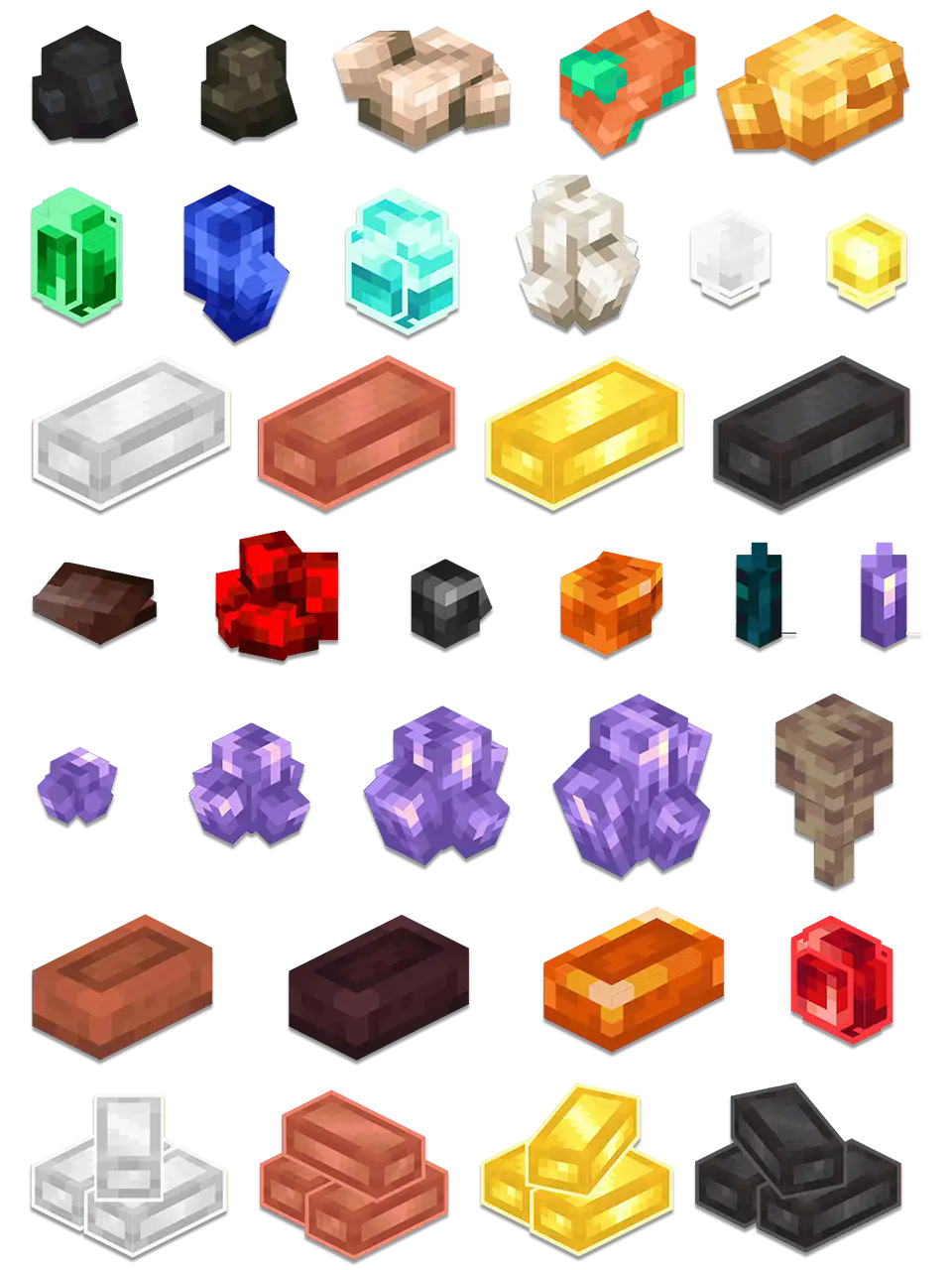
Credit: modrinth.com
How Ore Replacer Affects Gameplay And Strategy
Changing ore patterns has big effects on how you play:
- Early game: Easier access to iron or coal speeds up tool crafting.
- Mid game: Rare ores can be placed deeper or in special biomes, creating new exploration goals.
- Late game: Balanced ore rates prevent players from rushing to end-game gear too quickly.
If you’re designing an adventure map or custom server, Ore Replacer lets you guide players’ progress with resource scarcity or abundance.
How To Troubleshoot Common Issues
If the mod isn’t working:
- Check your Minecraft version and mod version match.
- Review the config file for errors.
- Make sure all dependencies are installed.
- If ores aren’t appearing, try generating a new world or using chunk regeneration tools.
If you see lag, reduce the number of custom ores or lower spawn rates.
Advanced Configuration: Automating Changes
Some players want to automate ore changes for special events or seasons. Advanced setups use scripts or datapacks to swap ore configs automatically. For example:
- During Halloween, replace iron with “pumpkin ore.”
- After a server event, make diamonds more common for a day.
To do this, combine Ore Replacer with scripting mods like CraftTweaker or use Minecraft’s built-in datapack system.
Frequently Asked Questions
How Does Ore Replacer Affect Existing Worlds?
Ore Replacer only affects new chunks. If you want changes in your current world, explore new areas or use tools to regenerate chunks.
Can I Add Ores From Other Mods?
Yes, Ore Replacer supports many custom ores. Make sure the other mods are installed and referenced in the config file.
Will This Mod Slow Down My Game?
If you add many ores or set high spawn rates, world generation can lag. For most setups, the performance impact is small.
Is Ore Replacer Safe For Multiplayer Servers?
Yes, it’s widely used on servers. Just test your config for balance and make sure all players have the same mod setup.
Where Can I Find Official Documentation?
Visit the official mod page or check the Minecraft Wiki for guides, updates, and support.
With the Minecraft Ore Replacer Mod, you can transform mining into a new adventure. Custom ores, flexible spawn rates, and randomization keep every world unique. Whether you want more challenge, easier crafting, or just a fresh start, this mod is a powerful tool. Try it out and discover how much more fun Minecraft can be when you control the resources.